Sunday, April 14, 2019

Good & Bad Websites

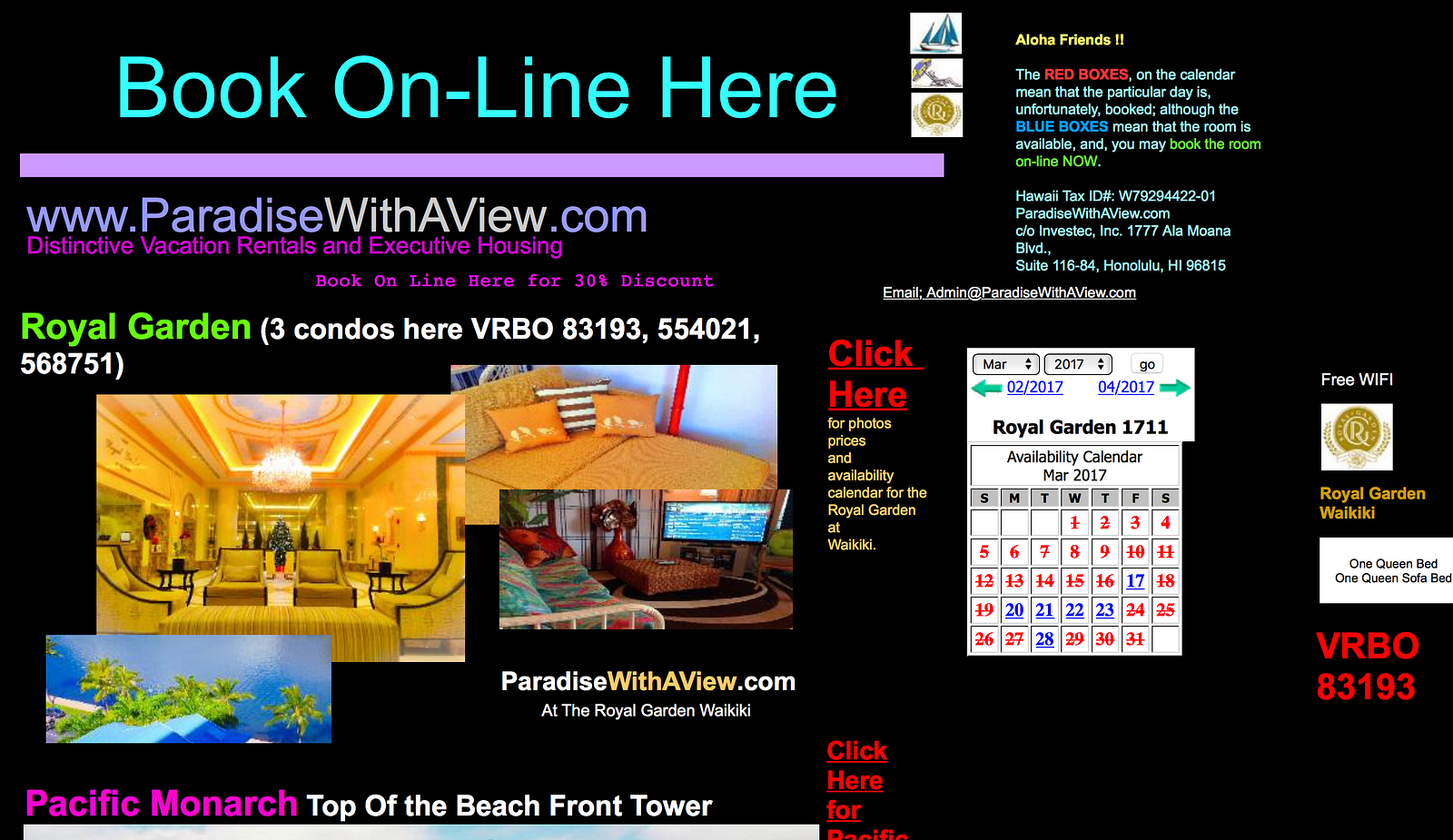
     My two examples of good and bad websites are tripadvisor and paradisewithaview. Tripadvisor is a good website while paradisewithaview is a bad website. Tripadvisor is an online service that provides recommendations for hotels, resorts, inns, vacations, travel packages, travel guides, and many more. Tripadvisor also lets you book online. Paradisewithaview is a bad website that also allows online booking. Both these websites are online-booking websites for vacations.

                                     Image result for tripadvisor   

     Tripadvisor is an online-booking website that has all the characteristics it needs in order for it to be a great website. It is easy to use and has a card-based design. On the other hand, paradisewithaview doesn't have any characteristics it needs in order for it to also be a great website. The colorful design on the website makes it a bad website. "Not secure" which is written on the website also makes that a bad website.
                               
                                     Image result for paradisewithaview website

     The reason why I chose tripadvisor and paradisewithaview as my good and bad websites is because my family often uses online-booking websites to book resorts/houses for vacations. I know tripadvisor is a good website because my family and I have used it before therefore we trust that website. This project taught me few things that I should keep in mind while using online-booking websites.

Screencast Video:
https://www.youtube.com/watch?v=v1on5_ZALAs&feature=youtu.be

Tuesday, April 9, 2019

Storytelling Tools

    My two comic strips are created using ToonDoo.    


   My two digital stories are created using Animoto and ZimmerTwins.
   1. Animoto: 
       https://animoto.com/play/9l7X0EHh7AkaAKkq1SL0mw
   2. ZimmerTwins: 
       https://www.youtube.com/watch?v=wZ3lbkmOoeM&feature=youtu.be

Social Media Tools

     The two social media tools that I have not utilized in the past are BrandMyMail and Canva. These are two of the many social media tools that I might be able to utilize in the future.

Image result for BrandMyMail   Image result for BrandMyMail          

     BrandMyMail is the easiest way to create an email template. It automatically creates a Gmail signature and adds it to all your emails. It allows you to edit the signature using the rich text editor on the tool itself. The caption "Beyond Signatures" of this tool caught my eye. I can utilize this tool in the future for my future profession. I would utilize it to make my emails look professional. This tool will not only create a Gmail signature but it will also make the emails look professional.

Image result for canva    Related image
     
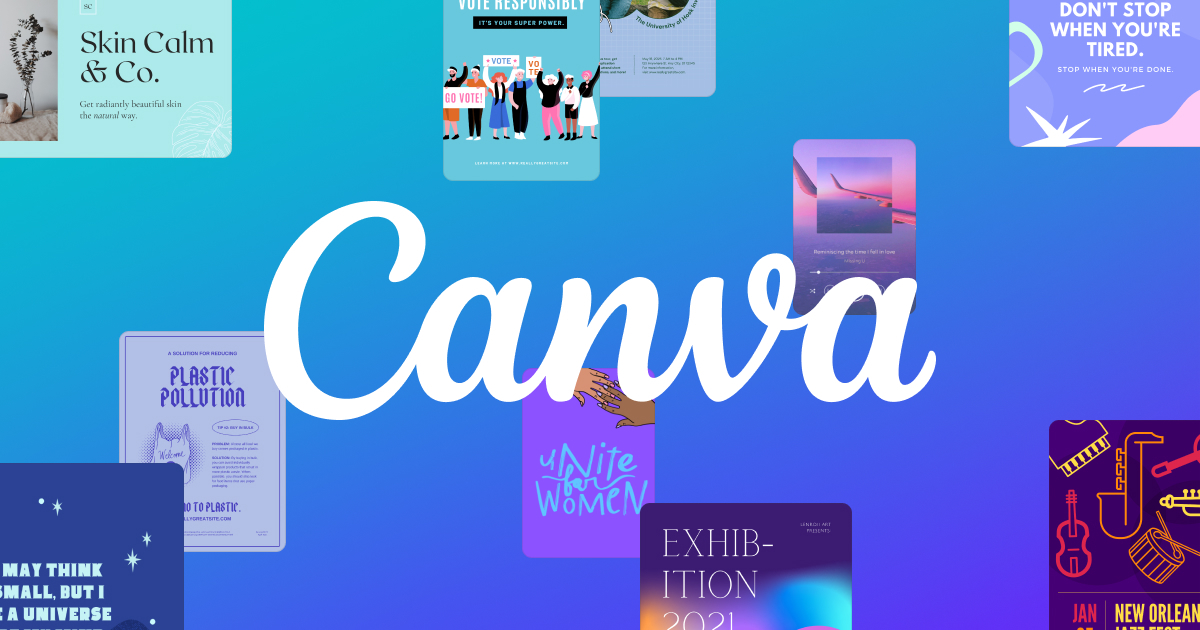
     Canva is one of the easiest ways to create designs. It lets you create designs for web or print. You can create designs for blog graphics, presentations, Facebook covers, flyers, posters, invitations and many more. There is a quote on this tool's page which caught my eye. The quote is "Canva enables anyone to become a designer." I can utilize this tool in the future. I would be able to utilize it to create designs for anything I want as a student or in my future profession.

Monday, March 25, 2019

Social Media Etiquette

The professional that I have chosen for my social media etiquette project is Colin Kaepernick.


Video: https://www.youtube.com/watch?v=UYeAKb2RQQo&feature=youtu.be

Sunday, March 3, 2019

Web 2.0 Tool Smackdown

                              Related image                                    
        Smackdown is a quick overview of a specific app, website, or a social media tool that can be utilized in college or in future profession. The tool that I have chosen for my Web 2.0 smackdown is glogster. Glogster is a cloud-based platform for creating presentations and interactive learning. It allows students and educators to create interactive, web-based posters called glogs. It is a great tool for any student in any profession who wants to create posters or glogs.

Image result for glogster

        Glogster is a Web 2.0 platform that lets you create multimedia posters on iOS and WEB. It is a creative visual learning platform. It lets you add audio, text, images, and audio. It provides access to 10,000 original graphic elements such as backgrounds, text boxes, frames, and more. It includes many different types of templates to choose from. The most important feature of this tool is that it lets you create as many glogs as you want. Glogster also has an iOS application.
Image result for glogster poster

        Many students and educators find this tool extremely useful in college and in their future profession. I could use this tool to create interactive, online posters in my college career and in my future profession as a physician assistant. I could use this platform to present content to my classmates or to my future colleagues. Glogster will help me present the content in the best way possible.

~ Screencast Video:
https://www.youtube.com/watch?v=dOiLrbTsK_Q&feature=youtu.be

Sunday, February 24, 2019

Blog #4: Chapter 4 - Building a Collaborative Culture

Image result for building a collaborative culture trust

        Educators make education meaningful and relevant not only for themselves, but also for their students. They do this by co-creating learning and sharing. They try to encourage the collaborative construction of knowledge of practice. However, collaboration sometimes tends to be a difficult concept in traditional environments. Collaboration is extremely important as it gives the people a meaningful reason to stay connected and work together. "Collaboration grows from relationships in which trust, collegiality, shared vision, and group development flourish."
        Relationships matter therefore it is extremely important to put relationships first. The first step towards building collorative cultures is to foster, nurture, and maintain positive, congenial relationships. Schools need both congenial and collegial relationships. The difference between congeniality and collegiality is that congeniality refers to the polite, friendly relationship while collegiality is a shared belief that none of us is as good as all of us. Relationships that mature over time through everyday sharing and participation establish trust. Trust, empathy, and reciprocity bond members together in a community.

Image result for building a collaborative culture

        Establishing trust is immensely important. Trust is what brings us together. Trust is formed when people do what they say they will do. Furthermore, collegial relationships create real change. In collegial relationships, connected educators share ideas and challenge each other's thinking. These collegial relationships makes us better educators. Shared vision is developed for the future of learning. "A shared vision that connects to passion, day-to-day work, and school improvement is important in creating a collabortive culture that supports the connected learner."
        In my future profession as a physician assistant, the concepts that I have learned in this chapter will help me make connections with others. In my future profession, collaborating with colleagues will be extremely important. Collaborating with others will help me stay connected with them. Collaborating with others will help me gain knowledge. All these concepts can definitely apply to my future profession/career.

Reference:
Nussbaum-Beach, S., & Hall, L. R. (2012). The Connected Educator: Learning and Leading in a Digital Age. Bloomington, IN: Solution Tree Press

Question:
How is collaborating with others important in your future profession/career?  
         

Monday, February 18, 2019

Blog #3: Chapter 5 - Using Tools to Support Connected Learning

Image result for online networking
        The best way to understand the tools is to experiment with them. If you don't experiment with the tools, you will never be able to use them in the best way possible. There are various tools for documenting and archiving learning, tools for connecting and collaborating, and last but not the least, tools for extending student learning. I believe that tools are extremely useful in today's world when it comes to improving learning and gaining knowledge and the best way to do this is to explore them even more deeply.
        There are many tools for documenting and archiving learning. Some examples of these tools are social bookmarking, delicious, and diigo. Social bookmarking is a useful way to store, categorize, and archive the information you want. This tool can connect you with friends and colleagues. Delicious is a popular website for bookmarking and tagging websites. This tool can save web pages that you might want to read later. Delicious lets you search tags to find webpages that others have categorized that match your interest. Diigo is a social bookmarking community, similar to Delicious, but with enhanced features. Diigo allows you to form collaborative groups. Diigo is designed for educators to find and network with other educators to form a personal learning network.

Image result for google docs
       
        Tools for connecting and collaborating are blogs, RSS readers, podcasts, microblogs, wikis, and Google documents. According to me, the best tool for connecting and collaborating are Google Documents. Google Documents, known as Google Docs, is a web-based document sharing tool. These documents are saved on the web, where they can be accessed by anyone and from any computer. This makes collaborating very easy. This tool is extremely useful for all the students and teachers.
        There are also plenty of tools for social networking. An example of this is ning. Ning is a powerful tool that allows anyone to create a specialized online social network for a few dollars a month. TeacherTube and Netvibes are two tools for extending learning in the classroom. TeacherTube lets you share educational videos made for teachers by teachers. This allows you to expand your professional knowledge by learning from other educators. Netvibes is an all-in-one dashboard to collect everything that's happening now on the social web. This is an efficient way to stay updated with current news.

Image result for physician assistant collaborate groups

        In my future profession as a physician assistant, the tools that I have learned in this chapter will help me make connections with others. Tools for connecting and collaborating will be very beneficial because I will be able to collaborate and form groups with others in my field. Collaborating with others will help me gain knowledge and make new friends. This is one of the best chapters I have read so far in this class because I learned about new tools and how useful they can be. All these tools can definitely apply to my future profession/career.

Reference:
Nussbaum-Beach, S., & Hall, L. R. (2012). The Connected Educator: Learning and Leading in a Digital Age. Bloomington, IN: Solution Tree Press

Question:
Which tool can be useful in your future profession?